ChatGPT Meal Planning: What Works, What Does Not
- Read
- 8 min
- Updated
ChatGPT is a good meal planner, better than most apps at deciding what to cook, and the free tier is enough. Where it falls over is keeping things: your week, your shopping list and your recipes end up as prose in old chats. Plan in ChatGPT, then move the plan somewhere you'll actually look.
Contents
I build one of the tools in this space, so read the last section with that in mind. Everything before it works whether or not you ever touch my product. If you end up wanting an app, I compare the main UK meal planning apps here, including how they handle recipes that started life in a chat.
What ChatGPT is genuinely better at
Starting before the shop. The weekly shop starts three decisions too late. A supermarket site waits for you to know what to type, which only works once you've chosen the meals, found the recipes and checked the cupboards. The real question is rarely "where can I buy 500g of beef mince?" It's "what can four of us eat this week without cooking every evening?" ChatGPT takes that question, constraints and all. Online shopping solved delivery. It didn't solve dinner.
Cooking from what you already have. Every meal planning app starts by asking what you want to eat. On a Wednesday, when the fridge holds half a cabbage, three eggs and some feta going soft, that's the wrong end of the problem. Type exactly that into ChatGPT and you'll have something plausible to cook in about four seconds. Apps search a catalogue, and a catalogue doesn't contain your fridge.
Adapting a recipe on demand. Ask for the same dinner without dairy, or cheaper, or in one pan because you can't face the washing up, or in a version a seven-year-old will eat. Filters in recipe apps handle maybe three of those. ChatGPT handles all of them, and the ones you haven't thought of yet, in the words you'd use with a friend who cooks.
Answering the question behind the question. "What goes with lamb" gets you a useful answer. So does "I have people over on Saturday and one of them is vegetarian and I am not a confident cook." A search box can't do anything with the second one.
Scaling and converting without fuss. American cups into grams, four portions into six, a roast timed backwards from when you want to eat. ChatGPT usually handles this dull arithmetic quickly.
The free tier does all of this. You don't need a subscription for meal planning, whatever anyone tells you.
Where it stops working
It doesn't reliably hold your week. This is the big one. Plan five dinners on Sunday and by Wednesday that conversation is somewhere in your history, probably below three other chats. Memory can carry useful preferences across chats when it's on, but it isn't a dependable record of the exact dinners and quantities you chose. There's no week view and nothing to tick off, and you can't see Thursday without scrolling.
It doesn't hold a usable shopping list. Ask for a combined list across five recipes and it'll produce one, once. Then you remember bin bags, and you've got a list in a chat window that you can't tick off one-handed while pushing a trolley. Add a sixth recipe on Tuesday and the list doesn't update as structured data. You get a new answer and reconcile the two yourself.
It doesn't keep a pantry. You can tell ChatGPT what's in your cupboards, but it doesn't keep a live stock record as you buy and use things. So it'll confidently put rice on your list every week. You own eleven bags of rice.
Quantities drift when you combine recipes. Four recipes each needing an onion should give you four onions on one line. ChatGPT usually gets this right when you ask directly and sometimes doesn't, especially in a long conversation. It has no structured record of what a recipe contains, so it's re-reading its own prose. This merging problem is exactly what shopping list features in apps exist to solve.
The recipe is buried in the chat history. You cooked something excellent in March. Finding it again means remembering roughly when you asked and what words you used. And at the hob, scrolling a long conversation is a poor substitute for a clear ingredient list and ordered steps.
It isn't an authority. Treat its advice as help. Check allergens, cooking temperatures and anything else food safety depends on, and be sceptical of odd ratios or a method that doesn't match its own ingredients. For a medical diet, ask a qualified clinician, not a chatbot.
How to get a usable week out of ChatGPT with no app at all
This works on the free tier and takes about ten minutes on a Sunday.
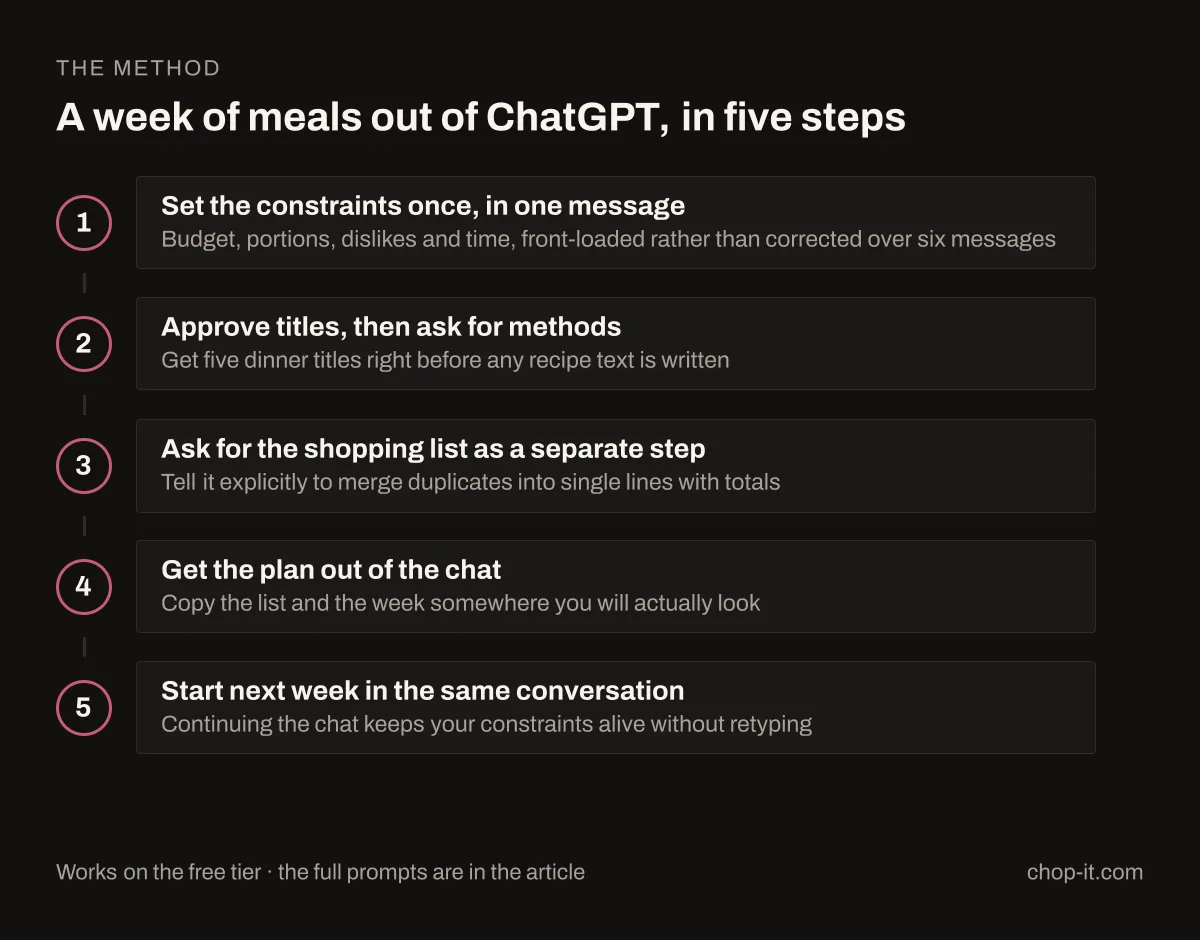
Set the constraints once, in one message. Most people ask too vaguely, then spend six messages correcting. Front-load it:
Plan 5 dinners for this week for 2 adults and a 6-year-old. Budget supermarket ingredients, nothing fancy. Two need to be ready in 25 minutes on weeknights. One should use up half a savoy cabbage and some feta. No fish, one vegetarian night. Give me the five titles first with a one-line description each, before any method.
Asking for titles first lets you reject two of the five before it writes 1,200 words you didn't want. Write it the way your household talks, and add what applies: firm dislikes, kit limits ("no slow cooker"), leftovers ("enough of one for Thursday's lunch").
Approve, then ask for the method in a form you can use. Once the five are right:
Now give me the full method for each, in the order I will cook them. Metric quantities, UK ingredient names.
Ask for the shopping list as a separate step, with explicit merging. This is the instruction most people miss:
Now a single shopping list for all five recipes combined. Merge duplicate ingredients into one line with the total quantity. Group by supermarket section: produce, meat and fish, dairy, dry goods, freezer. Put anything I probably already own in a separate list at the bottom.
That last sentence gets you a shorter list, because it separates the six things you actually need to buy from the salt and olive oil.
Get it out of the chat. This step decides whether the plan survives. Copy the list into whatever you shop with, whether that's your phone's notes app or a shared list someone else in your household can edit. Put the five titles in your calendar on the right days. The plan has to live where you'll look at it.
Start the next week in the same chat. Say "same as last week but swap the chilli for something with the leftover chicken." Continuing the conversation keeps your constraints alive without retyping them.
Do those five things and ChatGPT is a good enough meal planner. The weakness is that step four is manual every single week, and manual steps are the ones people stop doing in February.
The saving is in using what you buy
A plan saves money when every ingredient has a job before you buy it. WRAP estimates that UK households waste food worth £17 billion a year, about £1,000 for an average household of four. Four realistic dinners do more for that number than seven ambitious ones. Check step three's "probably already own" list against the cupboards before you shop, and the twelfth bag of rice stays in the supermarket.
Where Chop it fits
I built Chop it because that fourth step shouldn't be a copy-and-paste job, and a recipe worth cooking twice shouldn't live in a chat log.
It runs inside ChatGPT, free, so you ask for a week the same way you already do. Without an account you can search recipes, open one, draft a week and choose the dinners. Choose Connect Chop it and sign in with the same account as the app, and the conversation can also save recipes, use your library and pantry, keep This Week and Saved Weeks, import recipes (up to five attempts per session) and build your shopping list.
The difference is what happens to the answer. Recipes become structured records with real ingredient quantities, so merging four onions into one line is arithmetic rather than the model re-reading its own paragraphs. The conversation handles the brief and the library handles the memory. The week stays a week you can open on Thursday, and the shopping list is one you tick off in the shop.
Chop it in ChatGPT doesn't check out, show prices or generate images. When the list is ready, it hands you to a review page in Chop it with links to search your supermarket. Filling the basket is still your job.
The same library holds recipes that never came from a chat, which for most people is most of them: a photographed cookbook page, a website link, a video you saved. That's the part I care about most. Recipes scattered across sources is the real problem, and AI just added one more place to lose them. The first 10 imports a week are free, then 1 credit each. For the pantry, Scan ingredients turns a photo of a veg box or delivery into a starting list (1 credit a scan). Check what it finds, but it beats a blank page.
Chop it runs on iPhone, on Android and inside ChatGPT, all on one account.
If you never install it, use the five-step method above. It works and it costs nothing. For a capability-by-capability breakdown, see Chop it vs ChatGPT: what each does better.
Source: WRAP on UK household food waste. Figures are periodically revised. Chop it capabilities checked 11 October 2026.
See what you can ask Chop it in ChatGPT: copy a request for your recipes, Saved Weeks, pantry or weekly shop.
Quick answers
- Is ChatGPT meal planning free?You can start on ChatGPT’s free tier, subject to its usage limits and available connections. Chop it does not require Pro for planning and saving through ChatGPT; its recipe-import allowance is separate.
- Why does ChatGPT forget my meal plan?Each conversation is its own context, so last Sunday's plan is prose in an older chat, not a saved record. Memory can keep preferences like "no fish" but won't reliably hold which five dinners you chose. Carry on in the same conversation each week, or move the plan somewhere built to keep it.
- Can ChatGPT make a shopping list from recipes?Yes. Ask for it as a separate step once the recipes are settled, and tell it to merge duplicate ingredients into single lines with totals, grouped by supermarket section. Without that, you tend to get the same ingredient once per recipe.